Most Oracle Cloud HCM users don’t realize this — but Oracle lets you override the default Generative AI prompts baked into Fusion Application pages like Performance, Recruiting, and more. Instead of accepting out-of-the-box AI behavior, you can tailor it to fit your organization’s voice, context, and process needs.
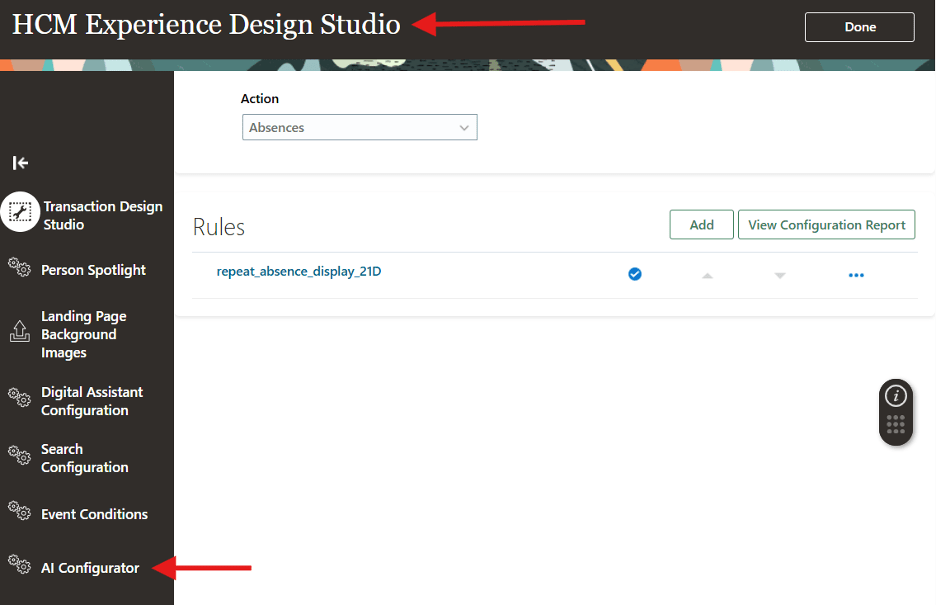
The tool that makes this possible is the AI Configurator, sitting right inside HCM Experience Design Studio — and it’s available across all Fusion Applications, not just HCM.
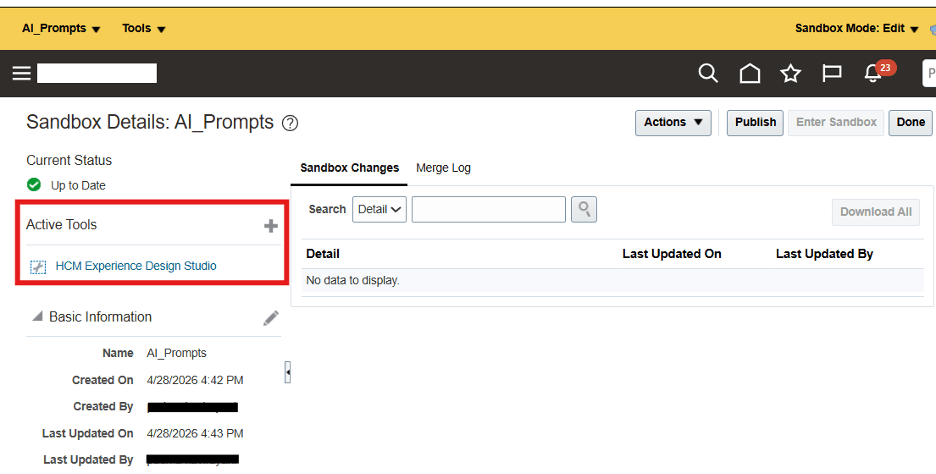
The AI Configurator inside HCM Experience Design Studio
Here’s How to Get There
Step-by-step approach
- Ensure you have the required privilege:
Access HCM Page Configurator(HRC_ACCESS_HCM_TRANSACTION_CONFIGURATOR_PRIV)
2. Create and activate a Sandbox with HCM Experience Design Studio enabled
Creating and activating a Sandbox
3. From the sandbox bar, navigate to Tools → HCM Experience Design Studio → AI Configurator
4. Select your product domain and module, then find the seeded prompt you want to change
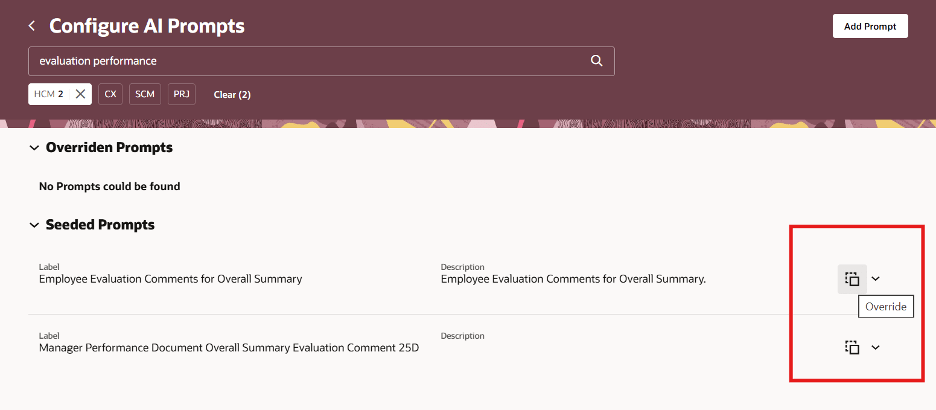
5. Click Override and edit the prompt as needed
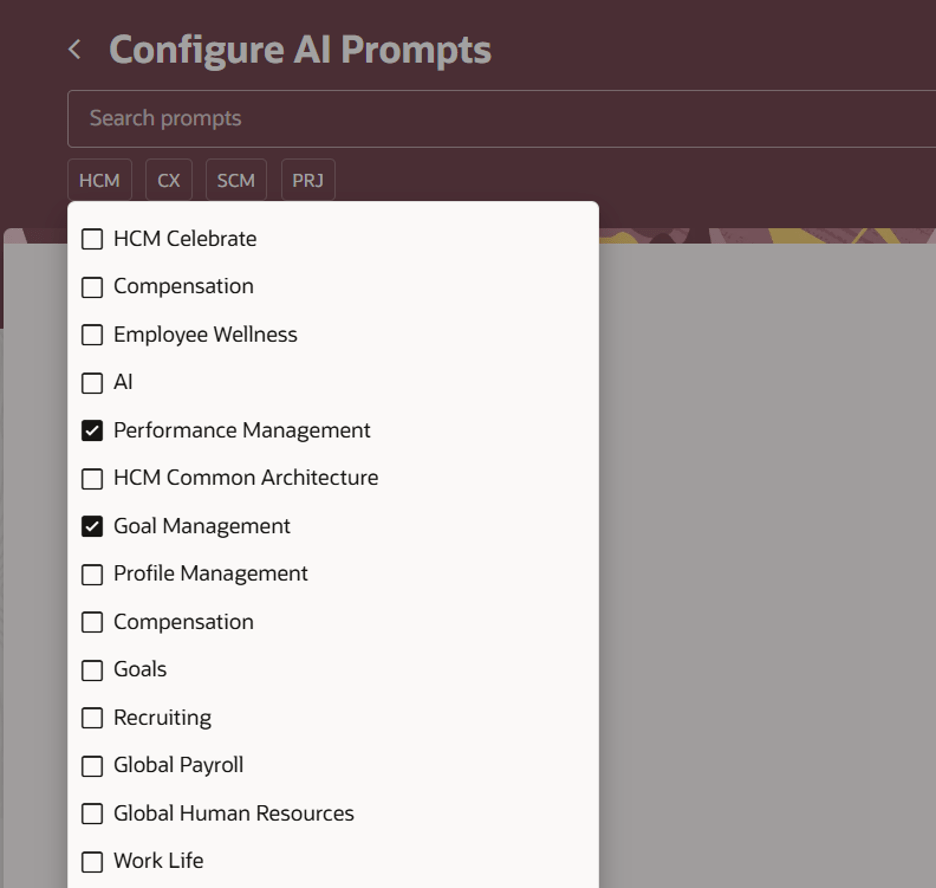
Clicking Override to customize a seeded AI prompt
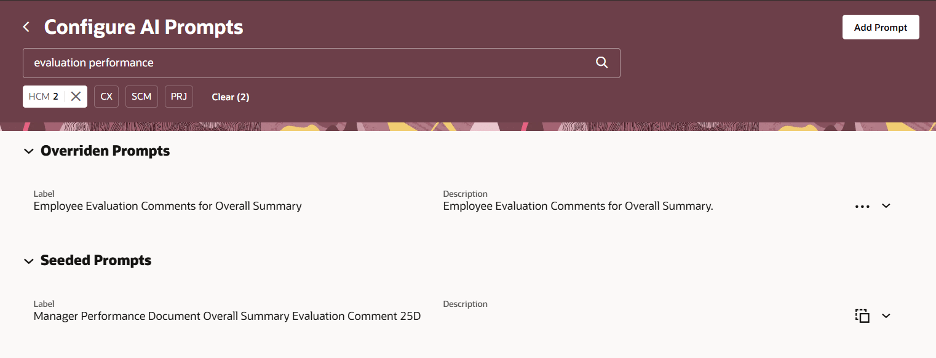
6. After saving, your edited prompt appears in the Overridden Prompts section — you can test, edit, or delete it from here
The Overridden Prompts section showing your customizations
7. Publish the sandbox — and your custom prompt goes live instantly for all users
Publishing the sandbox to activate your overridden prompts
If you ever delete the override, Oracle gracefully falls back to the original seeded prompt. No permanent damage.
A Few Things to Keep in Mind
Section Headings:
Lines beginning with # signs are section headings — handle them with intent.
Prompt Variables:
Variables inside { } are load-bearing — don’t remove them or change their names.
Output Format: Some prompts expect structured output (JSON, HTML) — changing the format incorrectly can break downstream business flows.
Note to practitioners:
The AI Configurator is available across all Oracle Fusion Applications — not just HCM. Whether you’re in Finance, Supply Chain, or CX, this same capability lets you fine-tune how AI responds across your business flows. Start with one prompt, test it in sandbox, and publish with confidence.
Small prompt tweaks can unlock meaningfully better AI experiences for your end users. If you haven’t explored the AI Configurator yet, it’s worth a look.
Sudarshan Mondal is an Oracle HCM Cloud architect and thought leader with 24+ years of experience helping global organizations reimagine how they manage their people. A seasoned Oracle practitioner, he has designed and delivered complex HCM Cloud implementations across Healthcare, Higher Education, Energy, and Financial Services — spanning Core HR, Payroll, Compensation, and Benefits. He writes at the intersection of enterprise technology, human capital strategy, and the future of work.
All content on this site represents his personal opinions and does not reflect the positions of his employer or any affiliated organization.
Making work better for humans — and humans better at work.
#OracleFusion#OracleHCM#AIConfigurator#GenerativeAI#HCMExperienceDesignStudio#OracleCloud#RedwoodUX#OracleCloudHCM


 Sudarshan Mondal
Leave a comment