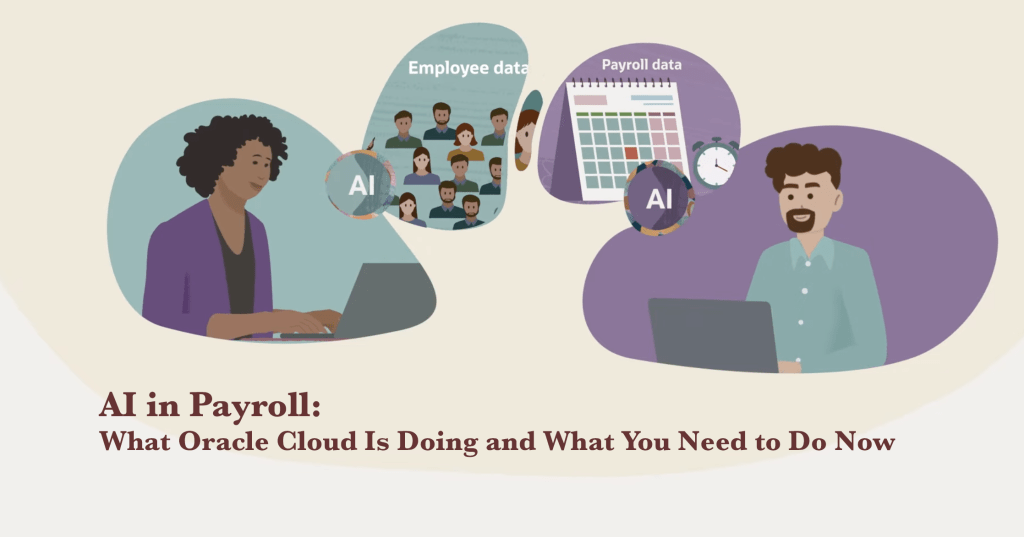
Payroll is one of those functions that only gets noticed when something goes wrong. When it runs smoothly, no one talks about it. When it fails, everyone does. And the reality is that payroll is getting harder, not easier. More geographies, more workforce types, more regulatory complexity, and systems that still do not talk to each other the way they should. AI is starting to change what is possible here. But understanding what is genuinely available today, what is production-ready, and what your organization actually needs to do to benefit from it, requires looking past the vendor headlines. That is what this article is for.
Intended for: Business executives, HR and payroll leaders, Oracle Cloud consultants, and technology managers evaluating AI adoption in payroll operations.
SECTION 1
The Real Problems Payroll Practitioners Face Today
Ask any payroll director what keeps them up at night and you will hear the same story: too many systems, too many manual steps, too many rules that keep changing, and not enough visibility to catch what is going wrong before it becomes a crisis.
These are not new problems. But they are getting harder to manage. Here is what payroll teams are dealing with right now.
Regulatory Complexity That Never Stops Moving
Tax codes change. Minimum wage rates vary by city and county. Collective bargaining agreements carry their own rules. Cross-border employment adds new compliance layers every quarter. For a team where accuracy is everything, every rule change that is not caught and implemented on time is a live risk.
Rebecca Bello, head of global payroll at Multiplier, puts it directly: without explicit expertise in each region, payroll’s biggest mandates, accuracy and compliance, suffer. That creates a very real threat to the scalability of the function and the company.
Disconnected Systems That Create Silent Gaps
Most organizations still run payroll across a patchwork of platforms. Finance lives in one system, HR in another, time and attendance in a third, and benefits somewhere else. When these systems do not communicate in real time, data gets lost or delayed in the gaps between them.
Chetan Jain, HR strategy and technology leader at Deloitte, describes a scenario that is more common than it should be: a large organization running biweekly and monthly payrolls simultaneously, with a constant stream of correction requests arriving by email. That structure almost guarantees leakage.
Incomplete and Inaccurate Data
Payroll depends entirely on data from systems it does not control. When Finance submits a late cost center change, when HR misses a termination, when a manager corrects a timesheet three days after payroll closes, the downstream impact is real. Incorrect withholding forms, misclassified earnings codes, improper offboarding workflows. Each one is a small error that compounds.
No Visibility Until the Problem Is Already Big
Problems in payroll tend to hide inside system gaps until they have grown significantly. Overpayments to terminated employees can go undetected for months. Duplicate payments sit quietly in the ledger. Compliance violations accumulate until an audit forces the issue.
The data confirms this pattern. A UKG and KPMG survey found that organizations lose between 2% and 4% of their total labor spend to payroll leakage from system limitations, processing errors, and fraud. For a company with a $500 million labor budget, that is up to $20 million a year disappearing into the cracks.
Scale and Global Expansion
Nearly 98% of companies surveyed by Multiplier plan to increase their global hiring in the next few years. For payroll, that means more currencies, more tax jurisdictions, more local compliance requirements, all arriving at once. The function simply cannot scale on the back of spreadsheets and manual review.
SECTION 2
The Business Impact of Getting Payroll Wrong
When payroll fails, the consequences land in three places at the same time: the income statement, the compliance register, and employee morale. None of them are cheap to fix.
Financial Leakage at Scale
Employee pay represents 40% to 60% of most organizations’ operating costs, yet management of that pay remains deeply fragmented. The UKG and KPMG research found that almost 40% of companies reported between $1 million and $5 million in annual payroll losses. For a large company, even 1% leakage can mean $15 million disappearing unnoticed.
These losses come from overpayments, underpayments, duplicate payments, benefits extended to ineligible employees, and the labor cost of fixing errors after the fact. They are structural, not accidental.
The Trust Problem
Teresa Smith, director of UKG’s human insights group, frames this clearly: when payroll is not right, employees feel it immediately. That is where trust takes a hit, stress goes up, and payroll and HR teams end up stuck in cleanup mode.
Repeated payroll errors erode confidence in leadership and HR functions. High-performing employees notice. The effect on retention is difficult to measure precisely, but it is real and lasting.
Compliance Exposure
Late or incorrect tax filings, missed minimum wage updates, misclassified workers, and improperly administered deductions all carry regulatory penalties. In a global workforce, these risks multiply across jurisdictions. The compliance team has no margin for error, and payroll feeds directly into that exposure.
Strategic Underutilization
Payroll data is some of the richest workforce and financial intelligence an organization holds. Compensation trends, turnover patterns, overtime anomalies, labor cost by department. But when payroll teams are permanently in cleanup mode, that intelligence goes unused. The function never gets elevated to a strategic role because the team is always catching up.
| The Core Tension Payroll operates at the intersection of zero tolerance for error and maximum operational complexity. Every factor that makes modern work complicated, from global hiring to regulatory change to workforce flexibility, makes payroll harder. That is precisely where AI is beginning to make a difference. |
SECTION 3
Oracle Cloud’s AI Strategy for Payroll
Oracle has taken an embedded approach to AI in its Fusion Cloud HCM suite. Rather than building a separate AI layer on top of existing applications, Oracle has built AI directly into the workflows where payroll work actually happens. The guiding principles are straightforward: built-in, not bolted on; ready for the enterprise; grounded in your data, policies, and roles.
The result is a portfolio of AI agents that read context, take action, communicate with employees and managers, and surface insights within the Oracle environment that payroll teams already use. No separate system to log into. No parallel workflow to maintain.
The Foundation: How Oracle AI Agents Work
Every Oracle AI agent operates on a common foundation. They are autonomous, meaning they can perform tasks and pursue goals without being explicitly triggered at every step. They are interactive, mimicking human conversation so they become a natural part of daily operations. And they are contextual, always operating within the security model, data roles, and organizational policies already configured in your Oracle instance.
This last point matters practically. An agent can only see and act on data within the user’s assigned roles and security profiles. This is a deliberate design choice. It means AI outputs are scoped appropriately, and it means your existing governance framework extends directly into AI-assisted workflows.
Oracle AI Agent Studio
For organizations whose payroll rules, union structures, or compliance requirements go beyond what standard configurations cover, Oracle has launched AI Agent Studio within Fusion Cloud. This allows HR and payroll teams to build custom agents tailored to their specific organizational context. A company with complex collective bargaining rules across multiple regions can build an agent that actually understands those rules, not a generic approximation of them.
This is a significant capability gap between native platform AI and third-party bolt-on solutions. Custom agents built in Agent Studio inherit the same security model, data access, and integration framework as Oracle’s own agents.
The Workforce Operations Command Center (Release 26C)
This is Oracle’s most significant payroll-adjacent AI release to date. The Workforce Operations Command Center is a full agentic application, meaning it does not just surface information. It coordinates multiple specialist AI agents to take action and advance work forward before problems reach the payroll run.
The Command Center is designed for workforce managers who need to see what is urgent, understand the severity, and act quickly. Here is what it delivers:
- An AI-generated summary of operational status across scheduling, absences, and timecards, continuously refreshed.
- A prioritized list of items affecting coverage, compliance, or payroll readiness, ordered by severity so managers know exactly what to handle first.
- One-click bulk actions on the highest-priority items: approving absences, reassigning open shifts, submitting or approving timecards, all from a single view.
- A visual breakdown of timecard readiness, including missing timecards and error exceptions, with bulk submission capability.
- AI-generated draft communications to employees and payroll managers, pre-populated with recipient lists and content for corrections, reminders, and notifications.
- Natural language querying through Ask Oracle, so managers can ask plain-English questions about schedules, absences, and time without pulling a report.
The practical significance is timing. Timecard errors that reach payroll processing are expensive to fix. The Command Center is specifically designed to surface and resolve those errors before they get there.
The Payroll Run Analyst Agent
This agent is built specifically for payroll administrators. It monitors individual payroll runs and proactively identifies anomalies, then explains the contributing factors in plain language. New hires not yet loaded into the run, unprocessed retroactive pay events, salary changes with unexpected downstream effects.
The agent does not just flag a discrepancy. It walks the administrator through why it occurred, always within the context of a specific employee and a specific payroll run. What used to require senior payroll expertise and significant time now takes minutes.
Oracle Guided Learning: Driving Adoption
Deploying AI agents is only half the challenge. Getting payroll teams to actually use them consistently is the other half. Oracle addresses this through Oracle Guided Learning, which delivers in-application guidance, contextual tooltips, and user feedback surveys directly within the Fusion interface.
This matters because most enterprise AI rollouts fail not because the technology does not work, but because users revert to familiar manual processes. In-application guidance that appears at the moment of action is far more effective than classroom training delivered weeks before go-live.
Oracle also provides an AI Adoption Center within Cloud Success Navigator, an interactive platform that gives organizations a clear roadmap for AI readiness, including what agents are available, what prerequisites must be in place, and how to sequence deployment for maximum impact.
SECTION 4
Oracle AI Agents Available for Payroll Cloud Today
Oracle has published a comprehensive portfolio of AI agents across the full HCM suite. Several are directly relevant to payroll operations. These agents are embedded in Oracle Fusion Cloud HCM and can be enabled by customers. They operate on a common foundation: autonomous, interactive, grounded in your organizational data, and scoped to each user’s security roles.
The tables below cover the full current portfolio, organized by functional area. Payroll professionals should pay particular attention to the Compensation and Benefits Management and Compliance sections, as these directly affect pay accuracy, data completeness, and payroll readiness.
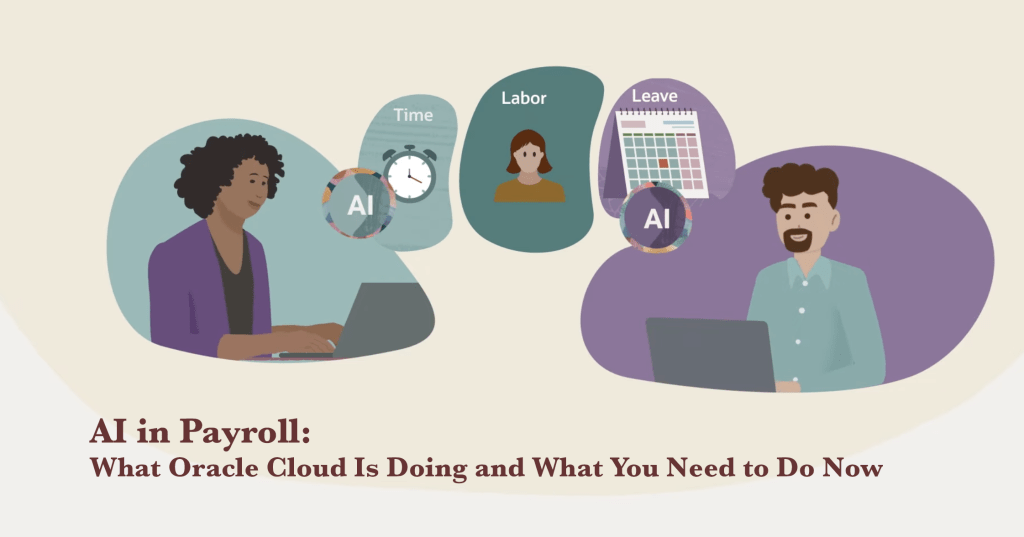
Payroll and Workforce Operations Agents
These agents have the most direct impact on payroll run accuracy and timecard readiness.
| Agent Name | Primary Function | Payroll Business Impact |
| Payroll Run Analyst | Identifies anomalies within a specific payroll run. Explains contributing factors such as new hires, unprocessed retroactive events, or salary changes in plain language. | Compresses root-cause analysis from hours to minutes. Enables payroll administrators to correct issues before the run completes. |
| Workforce Operations Command Center | Agentic app coordinating scheduling, absence, and timecard specialist agents. Surfaces urgent issues and enables bulk actions before payroll closes. | Directly reduces the volume of timecard errors that reach payroll processing. Proactive rather than reactive. |
| Timecard Assistant | Facilitates accurate and timely timecard submission. Explains to employees how their pay is calculated based on hours entered. | Reduces timecard errors at the source. Decreases the volume of post-submission corrections that delay payroll close. |
| Shift Scheduling Assistant | Creates and manages shift schedules, optimizing coverage and accommodating employee preferences and policy constraints. | Better schedules mean fewer last-minute timecard corrections. Feeds directly into payroll readiness. |
Compensation and Benefits Management Agents
This group addresses the data completeness and configuration accuracy that payroll depends on.
| Agent Name | Primary Function | Payroll Business Impact |
| Tax Withholding Guide | Guides employees through W-4 elections to ensure correct withholding. Surfaces the implications of different election choices before they are submitted. | Reduces post-payroll withholding adjustments and year-end employee complaints about unexpected tax outcomes. |
| Benefits Analyst | Provides personalized insights on medical, dental, and vision coverage options based on individual employee needs and plan rules. | Reduces misdirected benefits deductions and employee confusion about payslip line items. |
| Compensation Guidelines Analyst | Provides insights on compensation market trends and company policies for new hires and promotion events. | Supports payroll accuracy during salary change events by grounding decisions in documented guidelines rather than ad-hoc decisions. |
| Retirement and Pensions Analyst | Advises employees on 401(k), pension, and retirement planning options available through the organization. | Reduces deduction errors and employee inquiries about retirement contribution calculations that currently route to payroll. |
| Leave and Absence Analyst | Guides employees through leave policies. Assists with time-off requests and entitlement questions. | Reduces payroll errors caused by incorrect leave pay codes and accrual miscalculations. |
Employee Lifecycle Management Agents
These agents reduce the data errors that occur during employee lifecycle transitions and feed directly into payroll inaccuracies.
| Agent Name | Primary Function | Payroll Business Impact |
| Personal and Employment Details Assistant | Manages and updates employee personal and employment information. Suggests handling for lifecycle events such as promotions, transfers, and relocations. | Reduces data entry errors at lifecycle transition points. Fewer incorrect records flowing into payroll calculations. |
| New Hire Onboarding Assistant | Supports new employees through their first days. Provides information on company policies, culture, and essential administrative tasks. | Ensures employees complete payroll-critical setup steps (direct deposit, W-4, benefits elections) faster, reducing first-paycheck errors. |
| Employee Concierge Agent | Routes employee inquiries about compensation, benefits, leave, or payroll to the appropriate specialist agent. | Reduces the volume of misdirected payroll inquiries that consume payroll team capacity. |
| Manager Concierge Agent | Supports managers with inquiries around compensation, leave, talent management, and employment details. | Enables managers to resolve payroll-adjacent questions without escalating to the payroll team. |
Compliance and Information Management Agents
These agents address the compliance-related inputs that payroll depends on to calculate pay correctly.
| Agent Name | Primary Function | Payroll Business Impact |
| Collective Agreements Analyst | Helps employees and managers understand collective bargaining agreement terms and their implications on employment and pay. | Reduces payroll errors caused by misapplication of union contract pay rules, premiums, and entitlements. |
| Employee Contracts Analyst | Provides clarity on employment contract terms and conditions for employees and HR. | Reduces disputes over contractual pay terms that otherwise arrive in payroll as manual adjustments. |
| The Full Agent Ecosystem Each agent works independently, but the real value comes from the combination. An employee completes their W-4 through the Tax Withholding Guide. Their timecard is submitted accurately because of the Timecard Assistant. The Payroll Run Analyst catches any remaining anomaly before the run closes. The Workforce Operations Command Center provides the manager with a single view of everything that needs attention. This is a connected system, not a collection of isolated tools. |
SECTION 5
What Your Business Actually Needs to Deploy Oracle Payroll AI
Reading about AI agents is one thing. Getting them working in your organization is a different challenge entirely. Most failed AI deployments in enterprise settings share the same root cause: the technology was deployed before the organization was ready for it.
Here is a practical framework for approaching Oracle payroll AI adoption, grounded in what Oracle recommends and what actually works in practice.
Step 1: Audit Your Data Quality First
Before you enable a single AI agent, you need an honest picture of your current payroll data quality. AI agents reason over your data. If the data is poor, the agent outputs will reflect that.
- Are employee records complete and accurate in Oracle Fusion?
- Are your time and attendance systems feeding Oracle correctly and on schedule?
- Do you have documented payroll procedures, or is the process carried in individual team members’ heads?
- Where are your current manual workarounds? What problems are they compensating for?
Deploying an anomaly detection agent into a system with poor data hygiene does not solve your problem. It amplifies it. Data quality is not a prerequisite you can skip.
Step 2: Align HR, Finance, and IT from the Start
Payroll sits at the intersection of HR, Finance, and IT. An AI deployment that lives only within the payroll team will hit integration walls quickly. The organizations that see the most value treat it as a cross-functional initiative from day one.
This means aligning on data ownership, integration priorities, and governance before the technical work begins. Finance needs to confirm that cost center data will flow cleanly into Oracle. IT needs to prioritize the integrations that payroll depends on. These conversations are harder to have after deployment than before it.
Step 3: Configure Security Roles Correctly
Oracle’s AI agents operate within your existing security model. An agent can only see and act on data within the user’s assigned roles and data security profiles. This is the right design, but it means your role configurations need to be accurate before AI deployment.
For the Workforce Operations Command Center, Oracle’s recommended configuration includes:
- Line Manager role with a data role aligned to the manager hierarchy
- Time and Labor Manager role with an appropriate data role
- Workforce Schedule Manager role with defined areas of responsibility
- Employee role with a Transaction Security Profile-based security profile
Audit your current role configurations before enabling AI agents. Gaps in role setup create gaps in what the agent can see and do. If a manager cannot access the right workers in the security model, the Command Center will not show them the full picture.
Step 4: Build Your Training and Adoption Plan
Oracle provides training and certification through its Cloud Success Navigator, including an AI Adoption Center that helps organizations plan their AI deployment, understand prerequisites, and prepare their teams. At the time of writing, Oracle’s Race to Certification program provides access to AI training and certification at no additional cost.
Oracle Guided Learning can deliver in-application guidance, contextual tooltips, and feedback surveys directly within the Fusion interface. Use this to reduce adoption friction. Payroll professionals who understand what an AI agent is doing and why are more effective users. They catch when a recommendation needs human judgment. They know when to override and when to trust the output.
Step 5: Start Narrow, Then Expand
The organizations that succeed with payroll AI start with one well-defined problem and prove value before expanding. Pick the problem that is costing your team the most measurable time or money, deploy the agent that addresses it, measure the result, and build from there.
Three high-impact starting points for most Oracle Cloud customers:
- Timecard readiness before payroll runs. The Workforce Operations Command Center addresses this directly and delivers visible results within the first pay cycle.
- Payroll run anomaly detection. The Payroll Run Analyst Agent gives administrators the root-cause insight they need to fix issues before the run completes, not after.
- Employee self-service for payroll questions. The Employee Concierge and Tax Withholding Guide reduce the volume of inquiries that reach the payroll team directly.
Step 6: Measure, Then Optimize
Set baselines before you deploy. Then track the numbers that actually matter for your business:
- Volume of payroll corrections after the run closes
- Time spent on timecard error resolution per pay cycle
- Number of payroll-related inquiries routed to HR or payroll team
- Payroll leakage as a percentage of total labor spend
- Compliance incidents requiring manual remediation
Oracle Guided Learning provides analytics and hotspot tracking to measure how users interact with AI components. Use this data to understand where adoption is happening and where teams are still reverting to manual processes. Optimization is an ongoing activity, not a post-go-live checkbox.
A Note on Governance
Oracle’s AI agents are designed with humans in the loop. They recommend, flag, draft, and route. Final decisions on payroll actions, compliance filings, and corrections remain with your team. But that human-in-the-loop design only works if you have defined what the agents are authorized to do autonomously and what requires review before action.
Document these protocols before go-live. Define what autonomous means for your organization. That governance framework is not the last thing you build. It is the first.
CLOSING
Payroll Is Strategic. It Is Time to Treat It That Way.
Every payroll team is sitting on some of the most valuable operational data in the enterprise. Labor costs by department, compensation trends, overtime anomalies, absence patterns. When payroll runs well and leadership pays attention to it, that data informs workforce planning, cost management, and employee retention decisions.
Oracle’s AI agents do not replace payroll professionals. They give those professionals the tools and time to move from transaction processing to genuine strategic contribution. The Payroll Run Analyst handles the anomaly investigation. The Command Center handles the timecard exception triage. The Concierge handles the routine inquiries. That frees up your best people to do the work that actually requires their expertise.
The agents exist. The platform is ready. Oracle has made this available as part of Fusion Cloud HCM without requiring a separate implementation project. What determines whether your organization captures the value is not the technology. It is whether you are willing to prepare properly, govern thoughtfully, and treat payroll as the strategic function it actually is.
| Suggested First Action Bring together your payroll director, Oracle Cloud administrator, and HR technology lead for a single working session. Ask one question: where does our biggest payroll error or leakage risk actually come from? The answer will point you directly to which Oracle AI agent to deploy first. |
About the Author: Sudarshan Mondal is an Oracle HCM Cloud architect with 24+ years of experience helping global organizations transform how they manage their people. He has designed and delivered HCM Cloud implementations across Healthcare, Higher Education, Energy, and Financial Services, covering Core HR, Payroll, Compensation, and Benefits. He writes about enterprise technology, workforce strategy, and the evolving role of HR in large organizations. All content on this site reflects his personal opinions and does not represent the views of his employer or any affiliated organization.
 Sudarshan Mondal
Leave a comment